 Google’s domain registration service Google Domains is now available to everyone in the US.Google domains integrates nicely with many Website-publishing platforms like Wix,Shopify,Sqaurespace and Weebly. Google’s own platform (Blogger) wasn’t supported initially, but Google has now rolled out support for Blogger. This would mean that publishing your Blogger blog to a custom domain will be a lot more easier.
Continue Reading about BloggerPlugins- Setup Blogger Custom domain with

 A permalink (or permanent link) is a URL that points to a specific blog entry after it has passed from the front page to the archives.Blogger generates this permanent link based on your post title(If the title is in English). For example if your post title is “Hello World”, the blog post’s permalink would be something Till date Blogger never allowed the user to control what the permalink should be but it rather assigned a permalink on it’s own.
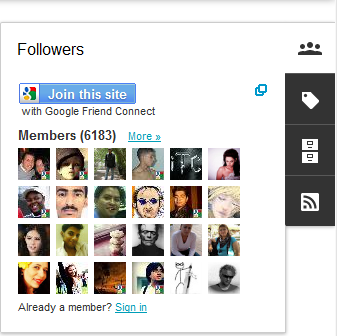 Blogger has introduced 6 awesome Gadgets for the Dynamic Views/Dynamic View Templates. The Widgets appear as a Floating Dock and expands when the user hovers over it. These Gadgets matches up with the look and feel of the CSS3 powered Dynamic Views.
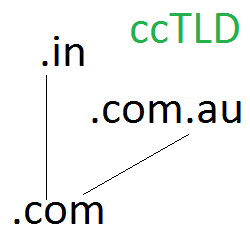 Blogger has started using Country Specific URLs and some of you might have already noticed it. The change has been rolled out in India.If you are from India try visiting any BlogSpot URL and you will be redirected to the country code Top Level Domain (ccTLD). For example if you visit any page from India , you will be redirected to the country specific page. Similarly if you visit any other ccTLDs from India, you will be redirected to the Indian TLD.
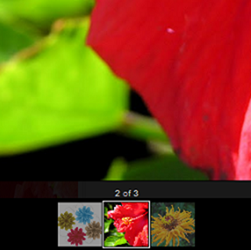 Most of you might have noticed the Light box overlay display for images on your Blogger Blogs. The feature looks similar to the one in Google Plus. The feature is enabled on all Blogger Blogs by Default.
 Blogger has just launched a set of incredible perspective views which can turn your blogs into stunning examples of CSS3 and HTML5 Technologies.
 Some of you might have already noticed the new “Follow by Email” Gadget on your “Add a Gadget Page”. The gadget is pretty simple and easy to install.
 Blogger was created by Pyra Labs in 1999 and was acquired by Google. Ever since the acquisition, Google has been improvising and adding new features it. Blogger is changing and its changing real fast. Last year we saw lots of new features being added on to blogger like:
 Good news for all android Folks!!. Blogger has released an official Android App. Its simple and neat and does the job perfectly. You can create a post or make drafts from your android device.If you are an android user, try it out by downloading the App from the Android market
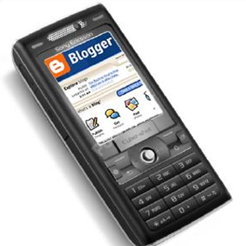 Blogger has now released mobile templates, which would make your blog look cool on your smartphones. The mobile templates will reformat your blog for mobile phones. It will even strip down the post content on your home page, so that its more readable and not too lengthy.
 Till now Blogger used to have two Feed Control Options, a Short Feed or a Full Feed. The short feed, as the name suggests contains a short version of your post with HTML and images stripped off. The Full Feed contains everything including the images and the HTML. Now Blogger has added a third option which will give you better control over what gets displayed in your Feed.
 Blogger allows you to upload your own videos via the Blogger Post Editor. It also allows you to embed YouTube videos into your posts(by copy pasting the YouTube embed code into your post editor). Now Blogger has made this process even more simpler by providing a better interface for adding YouTube videos.