
Google allows your blogs to be served over an encrypted connection. This feature was rolled out long back for blogspot blogs. In order to make use of this feature, you have to do almost nothing, but this post will provide some more details around the same including setting up of http to https redirects.
If you are using a blogspot blog(i.e not a custom domain, then your blog will already be having an https address.
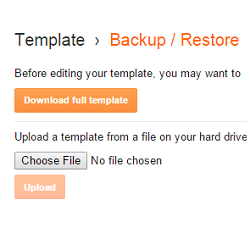
 Blogger Custom domains are more like a Vanity URL for your BlogSpot blog. It will allow you to create a better and easy to remember URL.
  Google’s domain registration service Google Domains is now available to everyone in the US.Google domains integrates nicely with many Website-publishing platforms like Wix,Shopify,Sqaurespace and Weebly. Google’s own platform (Blogger) wasn’t supported initially, but Google has now rolled out support for Blogger. This would mean that publishing your Blogger blog to a custom domain will be a lot more easier.
 When you share a post to Facebook or Google+, they display a summary of the post and also a thumbnail if available. Twitter has also come up with a similar solution called Twitter Cards.Twitter has come up with different types of Cards and this tutorial will help you in adding a summary card to your Blogger posts.
 Google has released it’s Social Commenting System and has made it available for Blogger Blogs.The new commenting System is more social and looks better than the original Blogger Commenting system. The Google Plus commenting System will also display social interactions made on Google Plus. This tutorial will help you to enable Google Plus Commenting system on your Blogger Blog

 Heading tags are a way of organizing and prioritizing content in a HTML document. There are 6 heading tags - H1(the most important one) to H6(the lease important one). Among these six tags,H1 tag is the most important tag followed by H2, H3 and so on. By default Blogger uses H1 tags for the blog title, H3 for post titles and H2 for sidebar titles. Having proper weighted headings is really important from an SEO perspective and this tutorial will help you to assign heading tags based on importance.
 I have been doing some cooking experiments and came across lots of awesome BlogSpot blogs with recipes of mouth watering dishes. This post is for all of those BlogSpot Food Bloggers who would like to spice up their recipe posts in Google Search results. Google Search results uses your webpage markup to identify better ways of displaying meaningful information
 A permalink (or permanent link) is a URL that points to a specific blog entry after it has passed from the front page to the archives.Blogger generates this permanent link based on your post title(If the title is in English). For example if your post title is “Hello World”, the blog post’s permalink would be something. Till date Blogger never allowed the user to control what the permalink should be but it rather assigned a permalink on it’s own.
  Blogger has launched an Array of Search Engine related features and one of them is the ability to create Custom Redirects. Technically Blogger allows you to create 302 Redirects which are used to specify that the Web Page has temporarily moved to a new location.
 Meta Tags are HTML elements used to provide structured metadata about a web page. Such tags are placed in the head section of an HTML document and Search Engines might use this data to display the search snippet when they display a page from your blog. Most of the Social Sharing Tools like the Facebook Share or the Google Plus buttons will pick up this meta description to create the snippet which gets shared to the Social Networks.
 404 error page is the page that will be displayed when the actual page is not found . Till now Blogger’s error page was a plain old design with more of orange in it and was not customizable. Now Blogger Error pages use the same template as what you use for your Blog. This tutorial will help you in setting up a Custom 404 page for your Blog.
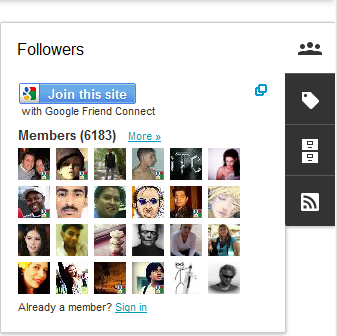 Blogger has introduced 6 awesome Gadgets for the Dynamic Views/Dynamic View Templates. The Widgets appear as a Floating Dock and expands when the user hovers over it. These Gadgets matches up with the look and feel of the CSS3 powered Dynamic Views.
 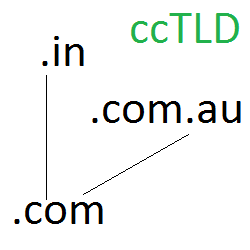 Blogger has started using Country Specific URLs and some of you might have already noticed it. The change has been rolled out in India.If you are from India try visiting any BlogSpot URL and you will be redirected to the country code Top Level Domain (ccTLD). For example if you visit any page from India , you will be redirected to the country specific page. Similarly if you visit any other ccTLDs from India, you will be redirected to the Indian TLD.